

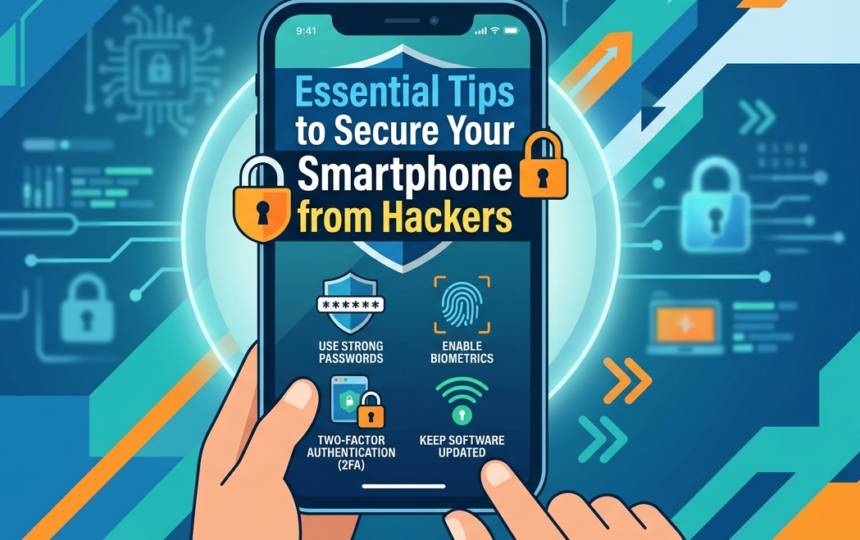
Understanding the Threats to Your Smartphone
Smartphones, integral to modern life, are now frequent targets for a variety of cyber threats that can severely compromise user security. As these devices store sensitive information, including personal data, banking details, and communication records, hackers continuously look for vulnerabilities to exploit. One primary threat originates from malware, which encompasses malicious software designed to infiltrate and damage devices. Malware can manifest in many forms, such as viruses, worms, and ransomware, often stealthily installed through suspicious applications or links.
Another significant risk comes from phishing attacks. Cybercriminals employ this deceptive tactic to trick users into providing confidential information, such as passwords or credit card numbers. Phishing attempts typically involve messages that appear legitimate, leading individuals to fraudulent websites. Given the increasing sophistication of these attacks, it has become increasingly difficult for users to distinguish between genuine communication and fraudulent schemes.
Moreover, unauthorized access poses a notable threat. Hackers may utilize various techniques to gain access to devices, such as exploiting weak passwords or vulnerabilities in software. Once they have infiltrated a device, they can collect sensitive information or even remotely control it to achieve ulterior motives. The repercussions of compromised smartphones can be dire, including identity theft, financial loss, and a significant breach of personal privacy.
As the technology landscape continuously evolves, understanding these threats is imperative for smartphone users. Awareness of potential risks empowers individuals to protect their devices proactively, reinforcing the importance of implementing robust security measures to safeguard against these malicious attacks.
Keep Your Operating System Updated
Maintaining the security of your smartphone is paramount in today’s digital age, where cyber threats are ever-evolving. One of the most effective measures you can take is to keep your smartphone’s operating system updated. Manufacturers regularly release updates not just for performance improvements, but more importantly, to address security vulnerabilities that can be exploited by hackers.
When new vulnerabilities are discovered, hackers often rush to exploit these flaws. Timely updates may contain critical security patches that protect against such threats, making your system more resilient against attacks. By neglecting updates, you leave your device susceptible to malicious software and unauthorized access, which can lead to compromised personal data.
Every smartphone, whether it runs on Android, iOS, or any other operating system, has a structured update mechanism. Users should look for these notifications and ensure that their device is set to automatically install updates whenever possible. Additionally, it’s wise to regularly check manual settings to confirm that updates have not been overlooked.
Beyond security fixes, these updates can introduce new features that enhance the overall user experience. Keep in mind that older operating systems often become targets for hackers, as there are fewer resources dedicated to defending outdated versions. Therefore, a proactive approach to software updates can significantly mitigate potential risks.
In summary, keeping your smartphone’s operating system updated is essential for maintaining device security. Regular updates not only shield your device from the latest threats, but they also ensure you have access to the newest features and improvements, ultimately fostering a safer mobile experience.
Use Strong Passwords and Biometric Authentication
In the digital era, securing your smartphone from unauthorized access is paramount. One fundamental method to enhance your smartphone’s security is by utilizing strong passwords. A robust password acts as the first line of defense against potential hackers who may attempt to breach your device. Ideally, a strong password should consist of a minimum of 12 characters, blending uppercase and lowercase letters, numbers, and special symbols. Avoid common phrases, easily guessable information, or sequences like “12345” or “password.” Instead, consider using a password manager to generate and store complex passwords securely, significantly reducing the chance of theft.
While strong passwords are essential, incorporating biometric authentication can further fortify your smartphone’s security. Biometric authentication methods, such as fingerprint recognition or facial recognition, provide a level of security that passwords alone cannot match. These methods rely on unique biological characteristics, ensuring that only the authorized user can unlock the device. This adds a layer of convenience, as users do not need to remember complicated passwords while benefiting from heightened security.
The synergy of strong passwords and biometric authentication creates a dual-layered defense system against hackers. Cybersecurity experts emphasize that relying solely on passwords can leave vulnerabilities, as they can be stolen or cracked. By combining these two security measures, smartphone users can significantly decrease the likelihood of unauthorized access. Furthermore, it is crucial to continually update passwords and some biometric systems to combat evolving hacking techniques, ensuring that your smartphone remains secure against potential threats.
Enable Two-Factor Authentication
In today’s digital landscape, enabling Two-Factor Authentication (2FA) has become a crucial step in securing your smartphone and safeguarding sensitive information from potential hackers. This security measure adds an additional layer of protection beyond the traditional username and password. With 2FA, even if a hacker manages to acquire your password, they would still require a second form of verification to access your account.
Two-Factor Authentication typically involves a combination of something you know (your password) and something you possess (a mobile device or a hardware token). Upon entering your password, you will receive a verification code sent to your smartphone via SMS or generated by an authenticator app. This ensures that only authorized users can gain access, as they must provide the unique code that changes frequently.
To enable Two-Factor Authentication on various apps, the process is straightforward. For instance, on social media platforms like Facebook and Instagram, navigate to the settings menu, locate the security options, and select “Two-Factor Authentication”. Users can choose their preferred method of receiving codes, whether through SMS or an authentication app. On services such as Google, you can follow a similar path under the security settings. Once enabled, familiarize yourself with the process of entering verification codes, and keep your mobile device on hand during login attempts.
In addition to preventing unauthorized access, Two-Factor Authentication can serve as a timely alert of any suspicious activity on your account. If you ever receive unexpected verification requests or codes, it may indicate that someone is trying to breach your account security. Therefore, regularly monitoring your accounts and ensuring 2FA is active across important applications can significantly enhance your smartphone’s defense against potential hacking attempts.
Be Cautious with App Downloads and Permissions
As mobile technology continues to advance, smartphones have become an integral part of daily life. However, with increased usage comes greater risks, particularly from malicious software and hackers. One of the most significant vulnerabilities arises from app downloads, especially those sourced from untrusted platforms. It is crucial for users to be discerning about where they download applications, as unverified sources can host dangerous software designed to compromise personal information.
When considering an app, always opt for reputable app stores, such as Google Play Store or Apple App Store, where apps undergo a verification process. Nevertheless, even reputable stores are not completely impervious to threats; therefore, examining user reviews and ratings can provide additional insights into an app’s reliability. Look for feedback that mentions security issues or functionality problems to gauge whether an app is worth the risk.
Equally important is the review of app permissions before installation. Many applications request access to sensitive information—such as contacts, location, and camera—necessitating a careful analysis of these permissions. Users should question whether the permissions are relevant to the app’s function. For instance, a simple flashlight app should not require access to your personal contacts. Granting unnecessary permissions may provide a backdoor for hackers to exploit sensitive data, leading to privacy breaches or identity theft.
Informed decision-making regarding app downloads and permissions is a critical line of defense against potential cyber threats. By being cautious and conducting thorough research, users can minimize their risk exposure while enjoying the conveniences that smartphone applications offer. Protecting your smartphone entails vigilance and awareness—essentials for safeguarding against hackers in an increasingly digital world.
Use a Mobile Security Solution
In today’s digital landscape, securing your smartphone is not just a preference, but a necessity. One effective way to bolster your phone’s security is through the utilization of a mobile security solution. These applications, which include antivirus software, can provide an additional layer of defense against various cyber threats, ensuring that personal information remains secure.
Mobile security applications offer comprehensive features that help detect, block, and eliminate potential malicious threats before they can infiltrate the device. They are designed to identify harmful software, phishing attempts, and unauthorized access efforts, thus safeguarding the user’s data from hackers. These applications can perform regular scans, monitor app behavior, and provide real-time protection, which is crucial given the evolving nature of cyber threats.
Furthermore, implementing a mobile security solution can enhance overall device performance. Many security apps have built-in optimization features that improve battery life, free up storage, and ensure that the device runs smoothly. This dual purpose of enhancing security while improving functionality makes mobile security applications a wise investment for smartphone users.
It is equally important to choose a reputable and well-reviewed mobile security solution. With the plethora of options available, users should look for applications that offer robust functionality, regular updates, and excellent customer support. Reading user reviews and expert opinions can help in making an informed choice. Additionally, while many solutions offer basic free versions, investing in a premium version may provide more extensive protection and features tailored for serious threats.
Public Wi-Fi networks are often utilized for their convenience, especially in places like cafes, airports, and hotels. However, they can expose smartphones to numerous security vulnerabilities. Hackers can take advantage of these unsecured networks to intercept sensitive data, such as passwords and personal information, making it crucial for users to approach them with caution.
One major risk associated with public Wi-Fi is the ability of cybercriminals to perform what is known as a “man-in-the-middle” attack. In such attacks, the hacker positions themselves between the user’s device and the connection point, capturing and manipulating data being sent and received. This issue emphasizes the importance of avoiding transactions that require sensitive information—such as online banking or purchases—while connected to these networks.
To enhance security while using public Wi-Fi, one effective solution is the use of a Virtual Private Network (VPN). A VPN encrypts internet traffic, thereby safeguarding data transmission even when the connection itself is not secure. By funneling your internet activity through a private server, a VPN effectively shields your online actions from potential prying eyes. It is advisable to select a reputable VPN service provider to ensure robust encryption and a trustworthy connection.
Moreover, it is prudent to disable file sharing and turn off sharing functionalities when connected to public Wi-Fi. Keeping your device and software up to date further enhances security, as new updates often include patches for vulnerabilities that can be exploited. Users are also encouraged to forget public Wi-Fi networks after use and to limit their connections only to trusted sources. Ultimately, remaining vigilant while utilizing public Wi-Fi can significantly reduce the risk of falling victim to cyber threats.
Regularly Backup Important Data
In today’s digital age, securing your smartphone from hackers is crucial, yet equally important is the practice of regularly backing up important data. Regular backups provide a safety net that can protect you against data loss due to cyber-attacks, theft, or even accidental deletion. By ensuring that your data is duplicated and stored securely, you can recover vital information with minimal disruption to your daily activities.
There are several methods available for backing up your smartphone data. One common approach is utilizing cloud storage solutions such as Google Drive, iCloud, or Dropbox. These services allow users to automatically sync their contacts, photos, documents, and application data, creating a remote copy that can be accessed from anywhere, provided you have an internet connection. This method not only provides ease of access but also enhances security, as cloud providers invest heavily in ensuring data protection.
Alternatively, backing up to a local storage device, such as a personal computer or an external hard drive, is another effective option. This method offers the advantage of having direct control over your data without relying on third-party services. Regularly connecting your smartphone to a computer to transfer important files ensures that you have multiple copies of your critical information. Furthermore, this approach can serve as a safeguard against potential outages from cloud service providers.
Regardless of the method you choose, it is essential to establish a routine for backing up your data. Setting reminders to perform backups weekly or monthly can greatly aid in maintaining current data. By proactively creating backups, you can mitigate the risk associated with potential data loss, ensuring that even in the unfortunate event of a cyber-attack, your important information remains secure and retrievable.
Stay Informed About Security Trends and Updates
In today’s rapidly evolving digital landscape, staying informed about the latest security trends and updates is paramount to safeguarding your smartphone from potential hackers. As cyber threats become increasingly sophisticated, being proactive in understanding these threats ensures that you can adopt effective measures to protect your device. Regularly following reputable sources of information is essential for gaining insights on new vulnerabilities, security breaches, and advanced protective technologies.
One effective way to stay updated is by subscribing to security blogs, newsletters, and podcasts that focus on smartphone security and cybersecurity in general. Websites such as Krebs on Security, the Electronic Frontier Foundation, and Wired often provide valuable insights into the latest hacking techniques and vulnerabilities affecting smartphone users. These platforms also share best practices, which can help you enhance your awareness and improve your overall security posture.
In addition, participating in online communities or forums such as Reddit’s cybersecurity subreddits can foster knowledge sharing among users. These platforms often discuss recent incidents and provide advice based on collective experiences. Following security experts on social media can serve to keep you informed about immediate threats and preventive measures through real-time updates and posts.
Moreover, consider attending webinars or virtual conferences on cybersecurity. These events can provide in-depth knowledge and facilitate discussions with experts in the field, giving you the opportunity to learn about new tools and strategies for protecting your smartphone.
Staying informed is not merely about consuming information; it also involves actively engaging with the cybersecurity community. By maintaining a reliable knowledge base, you empower yourself with the awareness necessary to mitigate risks and enhance the security of your smartphone against potential hackers.