

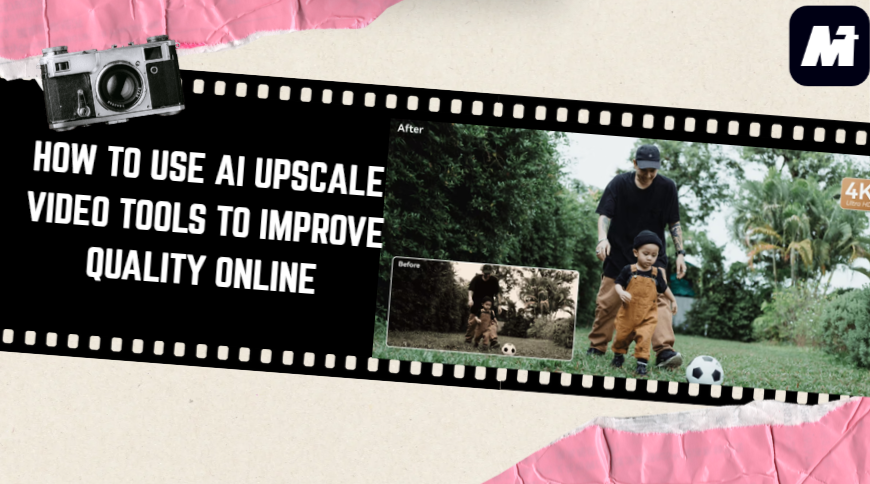
A video that looks decent on a phone often falls apart on a laptop or TV. Resolution limits, compression noise, and old-camera blur become impossible to ignore. Editing tools could fix these issues, but only if you knew how to use them—and had the hardware for it.
AI upscaling offers a shortcut. It reconstructs detail automatically, so even a low-resolution clip can gain sharper lines, better texture, and improved color with almost no effort. Just upload, choose what you want improved, and let the model rebuild the details.
AD
This guide explains how to enhance video quality using the Media.io Video Enhancer—an online, multimodal workspace designed for creators who want fast, reliable results.
What Is AI Video Upscaling?
AI video upscaling isn’t just “zooming in.” It goes frame by frame, looks at the shapes and motion, and figures out the details that didn’t survive compression. Then it rebuilds them—texture, edges, movement—based on what it has learned from countless examples. The output ends up looking like a cleaner, higher-res version of the original.
A strong AI video upscaler can:
- upscale video to 4K with clean edges
- remove noise and compression artifacts
- fix motion blur and softness
- improve lighting and color balance
- stabilize frames and sharpen moving objects
- restore clarity in old or low-resolution videos
What makes AI different from traditional tools is the reconstruction—not guessing, but rebuilding based on trained visual knowledge. This is why AI video enhancement often looks significantly more natural than old-school sharpening filters.
Why Media.io Is One of the Best AI Video Enhancers Online
WonderShare Media.io is more than just a video quality enhancer. It’s part of a full, large-model creative ecosystem that covers image, video, audio, and avatar workflows—all inside one online platform. You don’t need separate tools or heavy software.
Here are a few reasons creators prefer it:
1. Multi-Model Video Enhancement for Different Problems
Media.io doesn’t rely on one filter. It uses specialized models for:
- upscaling
- deblurring
- denoising
- color and exposure recovery
- face enhancement
This allows the AI to enhance video quality without pushing the footage into an unnatural look.
2. A Complete Creative Workspace After Upscaling
Once your video is restored, you can immediately:
- add templates from 5000+ layouts
- turn video clips into stylized content
- add AI voiceovers
- generate matching visuals
- animate characters using AI avatars
This all-in-one workflow is something standalone AI video enhancer tools can’t offer.
3. Powered by Large Multimodal Models
Media.io uses multiple large models across video, audio, image, and avatar generation. This shared model structure improves the AI’s ability to understand motion, edges, color, and human subjects—resulting in more accurate upscaling.
4. Trend-Aware Inspiration
Media.io’s Explore page is more than a template grid. It highlights emerging styles, user posts, and curated series based on what’s trending. If you see a video you like, you can replicate the style instantly. New sections appear as trends evolve, giving creators a steady stream of fresh ideas.
5. Free Daily Credits
Users who log in can try upscaling with AI Upscale free credits each day. This makes it one of the easiest ways to test AI upscaling video online for free before upgrading.
How to Upscale a Video with Media.io (3 Simple Steps)
Using Media.io takes less than a minute. Here’s the workflow:
Step 1. Upload Your Video

Open the AI Video Enhancer and drag your file into the workspace. Media.io supports MP4, MOV, MKV, and other common formats (Maximum: 5min)—and even older low-quality clips.
Step 2. Select an Enhancement Mode

Once your video loads, pick the mode that fits what you want to fix. Media.io offers four different enhancement models, each designed for a specific problem:
- Video Enhancer – improves overall clarity, sharpness, and color for general footage.
- Video Denoise – reduces grain and compression noise, especially helpful for dark or low-light clips.
- Portrait Enhancer – cleans up facial details, making skin, eyes, and edges look more defined without over-smoothing.
- Anime Enhancer – restores line work, color, and motion clarity in animated or stylized videos.
Each mode uses a separate AI model, so selecting the right one makes a noticeable difference in the final quality.
Step 3. Generate and Download the Enhanced Video
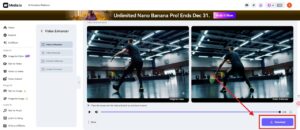
Click Generate and let the AI process your clip. Once finished, compare the before/after frames and download the upgraded version in HD or 4K.
What Can You Improve Using AI Video Upscaling?
AI enhancement helps in many everyday video scenarios. Here are a few practical examples:
1. Old or Low-Resolution Recordings
Home videos, early smartphone clips, webcam footage—AI can restore detail and remove noise for a cleaner look.
2. Content for YouTube, TikTok, or Marketing
Upscaling gives you higher production value instantly. Sharper footage performs better on modern screens and algorithms.
3. Product Demos and Tutorials
Clearer visuals mean fewer viewer misunderstandings and a more professional impression.
FAQs About AI Upscaling
Is Media.io an AI upscale free tool?
Yes—login gives you daily credits to try video enhancement features.
Can AI really enhance video quality?
Yes. The AI reconstructs detail using learned patterns, not just sharpening.
Can I upscale video to 4K?
Yes. Media.io supports 4K output depending on the source and selected model.
Is online upscaling safe?
Media.io processes your files securely and does not retain them longer than necessary for processing. You can delete your files anytime from your workspace.
Final Thoughts
AI has made video enhancement far more accessible than ever. A clip that once felt too blurry, too low-resolution, or too compressed can be restored with a single upload. No software installs, no specialized knowledge—just a straightforward workflow.
Media.io does more than upscale video. It gives you a complete creative environment powered by advanced large models, free daily credits, and thousands of templates to build content around your improved footage. Whether you’re repairing old videos or preparing polished content for modern platforms, it’s a simple and flexible tool to work with.