
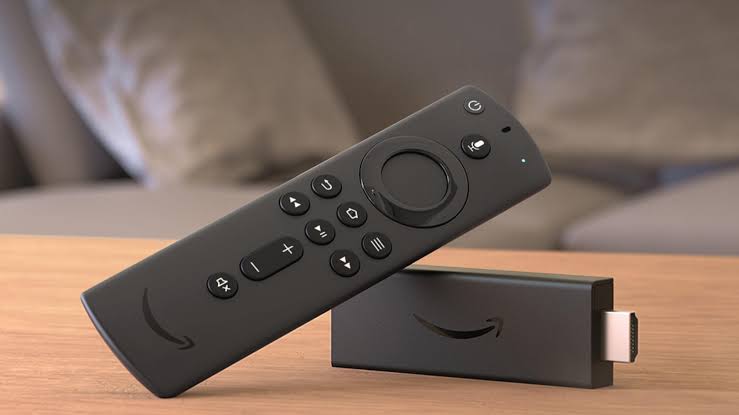
It’s been quite some time (8 years, to be precise) since I first started using FireStick. I absolutely love it for being super affordable, compact, and a genuinely power-packed streaming device.
But, as a tech enthusiast, I can’t help compare it with other devices and ask for more.
Every time I switch back to my FireStick after spending a few days with Apple TV, Google TV, Nvidia Shield and other market competitors, I murmur to myself, “I wish Amazon would add this.”
In case you are wondering, I’m not asking for unrealistic hardware overhauls that would double the price tag. I’m talking about basic features that other platforms already figured out years ago.
So, if anyone working at Amazon gets to read it, consider this an open letter. After using FireStick extensively and exploring almost all FireStick’s hidden settings, here is my wishlist for future FireStick features.
- Cleaner Home Interface
If there’s one thing I’d ask Amazon to change tomorrow, it would be the Fire TV home screen. This is hands down the biggest pain point for most users.
Sure, highlighting Prime Video drives subscriptions and engagement. But this makes the home screen increasingly crowded, more so after the recent makeover.
There are oversized banners, autoplay trailers, sponsored recommendations, and rows upon rows of suggested content. It literally feels like I’m scrolling through advertisements before I can get to the desired app.
While you can disable autoplay videos on the home screen (which helps a little), the promotional banners and sponsored rows are still there. I’ve experimented with custom launchers, but setting them up is a pretty complicated process, and most users are not tech-savvy enough to do that.
All I’m asking for is a little inspiration from the competition. Look at Apple TV: its home screen is a clean, beautiful grid of your apps that loads in no time. Even Google TV offers an official “Apps Only Mode” that strips away the clutter and leaves you with a distraction-free app grid.
Amazon doesn’t need to completely kill its recommendations, but giving users a choice for a “minimalist” or “clean” interface would instantly make the FireStick feel ten times more premium.
- One Click Background App Killer
RAM is among the biggest hardware limitations in FireStick. The older FireStick models come with just 1GB of RAM, while the relatively new ones (like Fire TV Stick 4K and Fire TV Stick 4K Max) offer 2GB of RAM.
When you open an app and press the “Back Button” on FireStick remote, it stays active in the background. As a result, the RAM takes a hit and slows down the device.
The immediate fix to this is to “force stop” every app. But the problem is that this process is far from convenient. You have to go through “Settings”, open “Applications”, select an app, and force stop each of them one at a time.
Recently, Amazon added “Clear Cache for All Apps,” which saves users from manually clearing temporary files inside every app. I think the same idea should be extended to background apps. A simple “Close All Background Apps” button would make things a lot easier.
- Private Listening
While you can connect Bluetooth earbuds/headphones on FireStick, it requires you to dig deep into menus to do that. And if you want to disconnect and switch back to your TV speakers, you have to navigate all the way back through those menus again. Calling it an inconvenient process would be an understatement.
Roku fixed it way back with its “Private Listening” feature. You can route all TV audio into your headphones by plugging them physically into the jack on the remote or on your Bluetooth earbuds via the Roku mobile app.
Of late, Amazon gave the Fire TV mobile app a much-needed redesign, and I think this is the perfect opportunity to take it a step further with a “Headphone Mode.” It would be a much smoother experience than the current Bluetooth pairing process.
I’d also love to see support for “Dual Bluetooth Streaming.” While Fire TV allows you to connect up to 7 Bluetooth accessories, it doesn’t support audio playback on two pairs of headphones simultaneously. There are times when you perhaps want to watch a movie with your friend or spouse without disturbing or getting disturbed by your surroundings. With dual Bluetooth streaming, you can do that with ease.
- Built-In Remote Finder Button
I have lost count of how many times I’ve searched around my sofas, pillows, or blankets for my FireStick remote. It’s a small gadget, which is great when it comes to portability, but that also makes it incredibly easy to misplace.
And when you finally sit down after a long day to watch something, the last thing you want is to spend the next five minutes looking for the remote.
There are times when I don’t mind using the Fire TV app as an alternative, but it’s not always a good idea when you want to avoid scrolling.
While Amazon has a solution for this, you have to buy the standalone Alexa Voice Remote Pro for nearly $30. You can simply say “Alexa, find my remote” through the Alexa app, Echo device, or a Fire TV Cube, and your Fire TV remote will make a ringing sound to help you track it down.
My question to Amazon is, “Why isn’t this a standard feature across all FireStick models?”
Integrating a native remote finder into the standard FireStick remote that could be operated via hands-free Alexa command or a simple button inside the Fire TV app is one of those small additions that would make everyday usage so much smoother.
Final Thoughts
There’s no denying that Amazon is still one of the best streaming devices on the market. It has single-handedly introduced millions of people to smart streaming without requiring a big investment.
At the same time, I believe it’s about time Amazon starts paying attention to small improvements, many of which already exist in the market and don’t require them to think out of the box.
The FireStick has definitely come a long way since I first started using it, but there is still room to make it a more polished and user-friendly device.